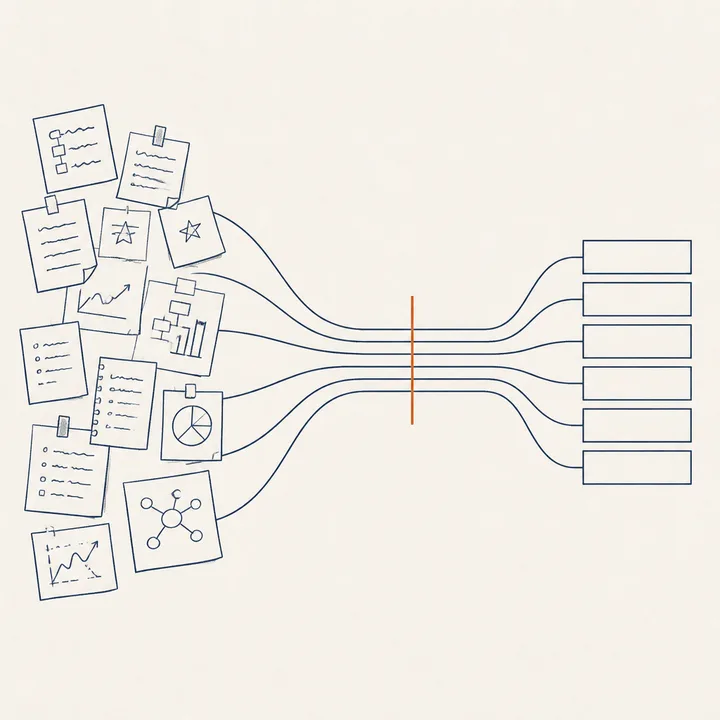
Editorial illustration: scattered notes and sketches on the left converge through an orange line into structured modules on the right, representing the transition from idea to system

From loose ideas to an organised system: the same journey your team will follow in six stages.

What is an AI system?

Imagine hiring an intern who works round the clock, reads hundreds of documents in minutes, never complains and never takes a holiday. That is, in essence, an AI system: a tool that receives instructions, carries out tasks and delivers results — without you writing a single line of code.

The difference between this and asking ChatGPT a question is the same as between phoning a colleague for a data point and having a department that produces reports every Monday. One is a conversation. The other is a system.
Competitive monitoring

Tracks your competitors' pricing and alerts you whenever something changes.

Lead qualification

Analyses every incoming opportunity and ranks them by likelihood of closing.

Recurring reports

Produces a weekly industry summary with verified data, ready for your board meeting.

Why design before you build

The temptation is to start asking the AI for things and see what comes out. That works for a single email. It doesn't work for a system that needs to deliver reliable results every week.

It's like cooking. You can open the fridge and improvise. But if you need to serve dinner for twenty, you need a menu, a shopping list and a plan for what to prepare first. Professional chefs call this mise en place: set up before you cook.

Designing an AI system follows the same logic: think, research and plan first; build second. The six stages in this guide are your mise en place.

Brainstorming + research + planning = preparation.
Building with AI = cooking.

The six stages

From idea to working tool, step by step

Each stage produces a concrete output you can show a colleague. This is not theory — it's a process that works.

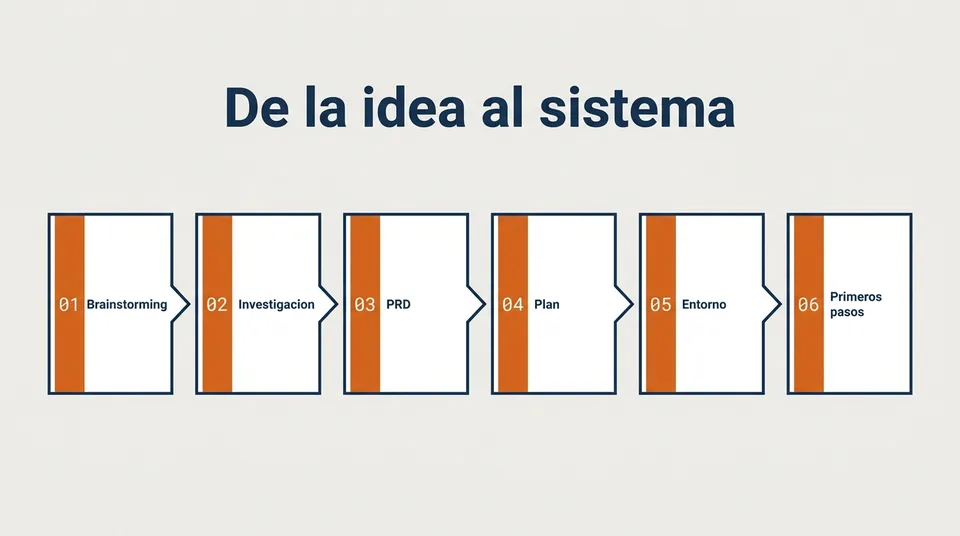
6-stage pipeline diagram: 01 Brainstorming, 02 Research, 03 PRD, 04 Plan, 05 Environment, 06 First steps
01

Brainstorming with AI

Using AI to generate ideas is not typing "give me ideas for my business" and accepting the first list. It is a structured process:

  1. Context. Explain who you are, what you do and what the problem is.
  2. Constraints. State your available resources: budget, team, timeline.
  3. Divergence. Ask it to explore from different angles — as a customer, as a competitor, as an investor.
  4. Convergence. Select the two or three ideas that best fit your reality.
  5. Documentation. Write down the selected ideas with arguments for and against.
The output is not a pretty list. It is a reasoned decision you can defend in front of your team.
02

Research before you decide

Before building anything, AI can do the research for you. Three questions it should answer before you move on to planning:

  1. Has someone solved this before? So you don't reinvent what already exists.
  2. What data will I need and is it available? So you don't discover halfway through that the information doesn't exist.
  3. What are the known risks? So you can decide whether it's worth it before investing more time.
Researching first is the difference between hitting a wall two weeks in and spotting it before you start.
03

The PRD: a contract between idea and execution

A PRD (Product Requirements Document) is the contract between what you want and what will actually be built. It's not a technical document — it's a single page where you nail down five things:

  1. The problem. What hurts? What time or money is being lost?
  2. The user. Who will use this? What do they know and what don't they know?
  3. The success criterion. How will we know it works? A number, not a feeling.
  4. The scope. What does the system do and what does it NOT do?
  5. The risks. What can go wrong, and what will we do if it does?
Without this document, AI builds what it interprets. With it, AI builds what you need.
04

Implementation plan

An implementation plan is not a Gantt chart or a vague roadmap. It is a list of small steps where each one meets two conditions:

  1. It produces something visible. A file, a result, a screen you can show someone.
  2. It can be verified. It's done or it's not. There is no "almost finished".

For example:

  • Connect to the CRM database — works if it returns test data.
  • Generate a report with last month's data — works if the PDF opens and the figures add up.
  • Schedule the automatic send every Monday — works if the email arrives.
Small, verifiable steps. If one fails, you know exactly where to look.
05

Where to run it

Today there are three ways of working with AI. The choice depends on what you need to build and who will maintain it afterwards:

Web apps Code editor Terminal
Examples ChatGPT, Claude.ai, Gemini VS Code, Cursor Claude Code, Codex CLI
What is it? Chat with AI in your browser Code with AI assistance Give AI instructions and let it run on its own
Do I need to code? No Somewhat Not necessarily
Can it automate? Limited Yes Yes
Who uses it afterwards? Anyone Someone technical Anyone (after setup)
Best for Questions, drafts, one-off analysis Software development Complete systems that run on their own

If your goal is a system that runs reliably and repeatedly, the right-hand column is where you'll end up. But you don't need to start there — begin with what you already know and move across when you need to.

06

Practical first steps

If this guide has convinced you that you want to build something, here are five concrete steps to get started:

  1. Pick a small, self-contained case. Not "transform the sales department". Yes: "generate a weekly sales pipeline summary from CRM data". Small, defined, verifiable.
  2. Write the PRD by hand, without AI. Before asking the tool for anything, describe the problem, the user and the success criterion yourself. If you can't write it clearly, you're not ready to build it.
  3. Research with AI. Ask whether existing solutions exist, what data you need and what could go wrong.
  4. Iterate in short sessions. Don't try to build everything in one afternoon. Sessions of 30 to 60 minutes where you advance one step and verify before moving on.
  5. Validate with a person before automating. Before the system runs on its own, ask a colleague to review the results. If they don't pass the human filter, adjust first.
Basic security

Five rules to get started safely

You don't need to be a cybersecurity expert to use AI responsibly. These five rules cover the majority of common risks.

Rule 01
Don't share passwords or sensitive data with AI

No access keys, no client data with names attached, no confidential contracts without anonymising them first. What you tell AI may be processed on external servers.

Rule 02
Run in a controlled environment

Don't give AI direct access to your production server or main database. Always start with a test copy.

Rule 03
Minimum permissions

If AI only needs to read data, don't give it write access. If it only needs one folder, don't open the entire drive.

Rule 04
Review before publishing

Everything AI produces — reports, emails, documents — goes through human review before reaching the outside world. No exceptions at first.

Rule 05
Have a kill switch

If something goes wrong, you need to be able to stop the system at any time. Before automating, make sure you can disable the automation with a single click.

Learn how to do it in six sessions

In our "From idea to system with AI" programme, your team walks through all six stages working on a real challenge. Every participant leaves with a working system, not a slide deck.

Book a conversation See the programme